
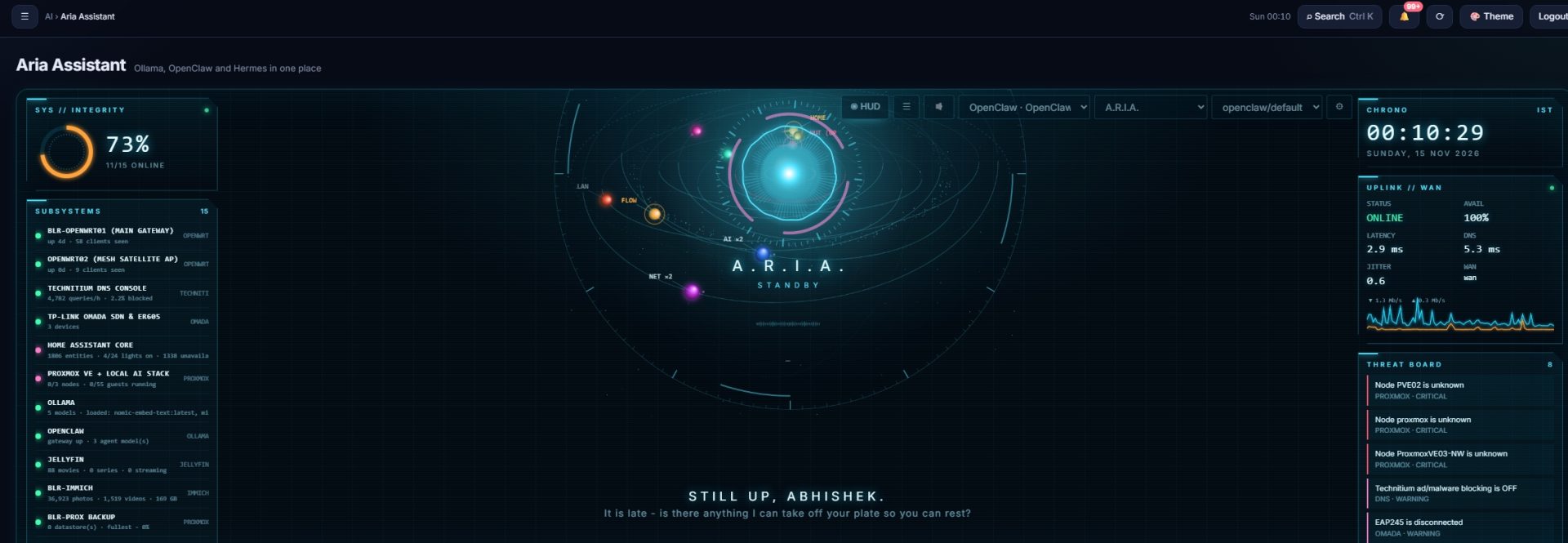
My homelab had grown into a dozen excellent apps that did not know about each other. So I used AI to help me build one front door for all of them: NexusOps, a self-hosted dashboard, and Aria, an assistant that runs on my own hardware and never sends my homelab data to the cloud.
This post is the story of why I built it, how it is put together, and how I kept it safe while giving an AI access to the things that keep my house running.
Too many apps, too many doors
Over a few years I self-hosted almost everything I use at home. Each project solved a real problem, and each one came with its own address, login and app:
- Home Assistant for lights, sensors and automations
- A GPS tracker I built myself around a u-blox NEO-M8N module
- Grocy for the kitchen and groceries
- A media centre for films, series, music and books
- An RTL-SDR radio receiver for listening to and recording the airwaves
- Proxmox for the virtual machines and containers that run all of it
- OpenWrt on the router, with separate VLANs for servers, IoT and guests
- Plus DNS, backups, monitoring, a 3D printer and a UPS
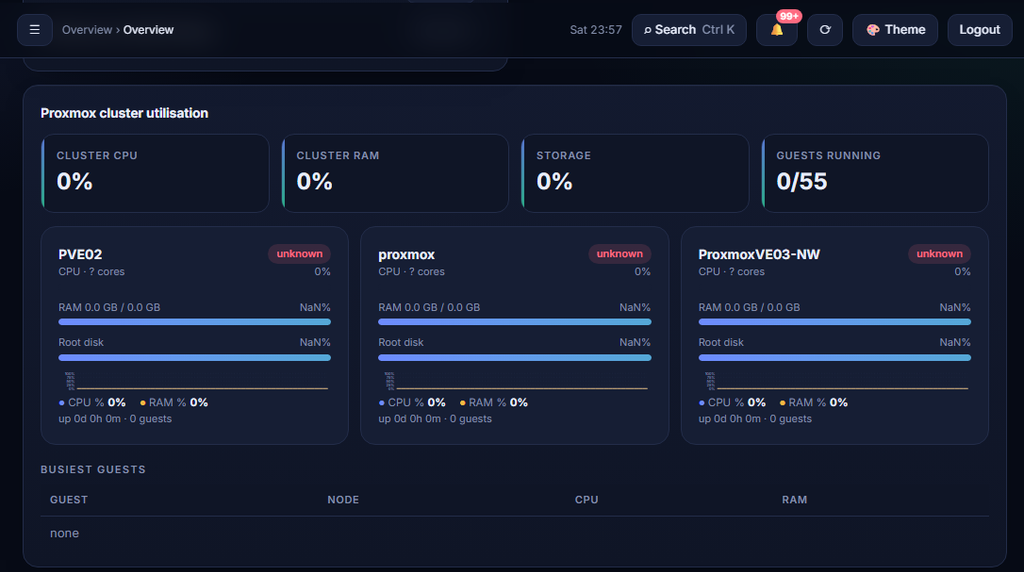
It worked, but it was hard to use. Checking whether everything was healthy meant opening ten tabs and remembering ten URLs and ports. When something broke, I had to work out which of the ten was the cause. And nobody else at home was going to learn all of that.
The idea: let AI help build the front end
With AI everywhere, I asked myself a simple question: why not use it to build the one front end I was missing? I would describe what I wanted, review every change, test it, and ship it in small steps. The AI would do the heavy lifting on code; I would stay in charge of design, security and what actually runs in my house.
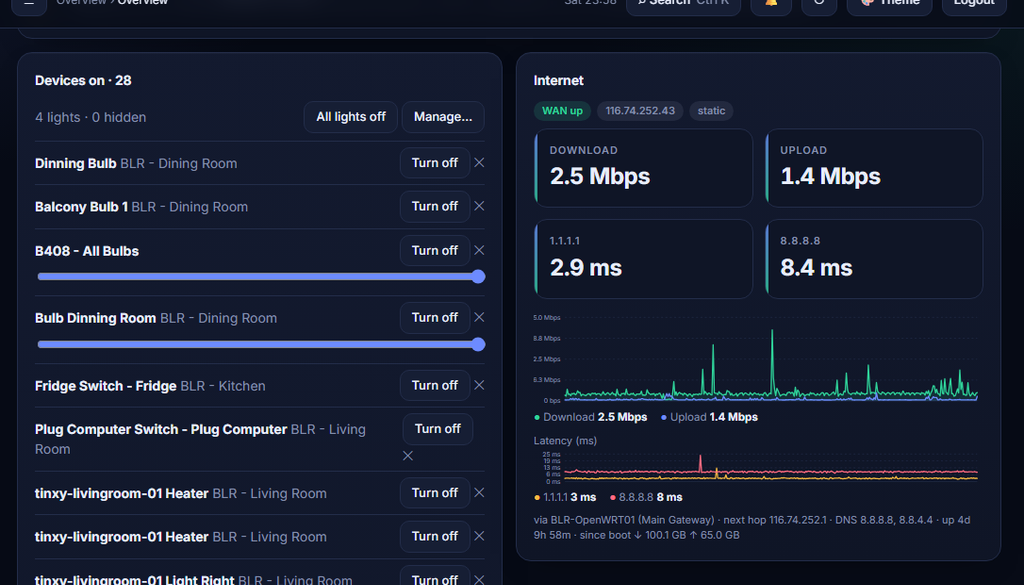
The result is NexusOps: one web app, running in a single container on my Proxmox host, that talks to everything else.
- Overview: one page that shows whether every service is healthy, with a risk radar for things that need attention
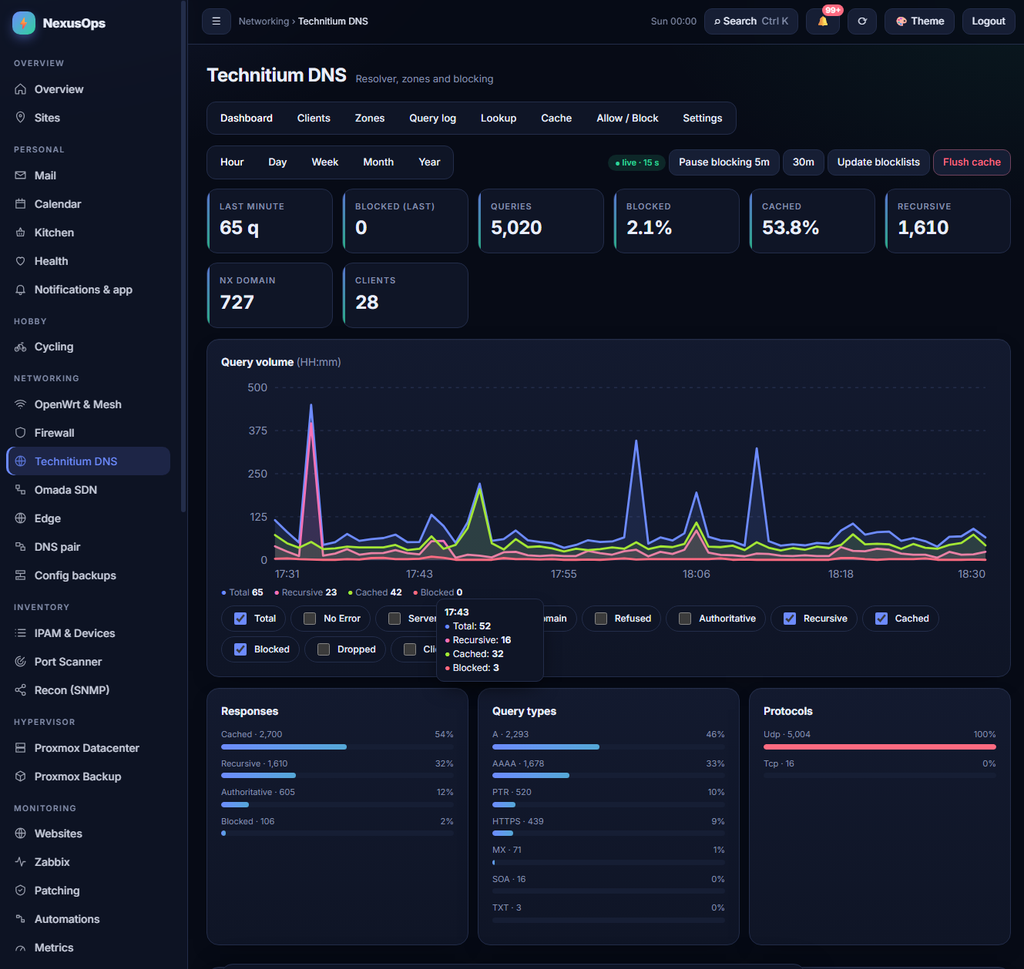
- Networking: OpenWrt, Wi-Fi clients, firewall view, DNS, IP address management and a network scanner
- Hypervisor: Proxmox nodes, VMs, containers and backups
- Smart home: Home Assistant rooms and a floor plan
- Media: films, series, music, books and the SDR radio recordings
- Life: Grocy kitchen, calendar, mail, health and cycling
- Monitoring: uptime history, incidents, power and UPS, weekly reports and push notifications
It grew release by release, each one shipped as a single upgrade script that takes a backup first, tests itself and rolls back automatically if anything fails. Three roles (admin, operator and viewer) decide who can see and who can change what.
Phase 1: connect every app through its own API
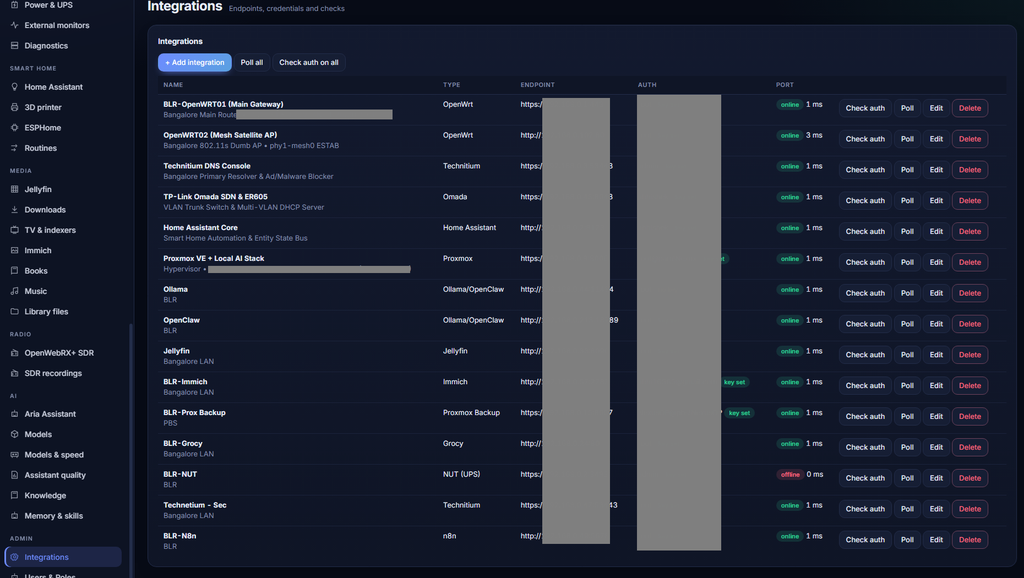
The first phase connected the apps through the APIs they already offer. The rule was simple: each integration gets a key with just enough permission to do its job, and nothing more.
- Read-only wherever possible. A dashboard that only shows status gets a read-only token.
- Write access only where I want buttons. Restarting a container or toggling a light needs it; most pages do not.
- Keys stay on the server. They are stored encrypted, never sent to the browser and never shown in any API response. Images and media are fetched by the server and passed through, so the browser never sees a service’s key.
- Every action is logged. A change made from NexusOps lands in an audit log and a change journal, with who did it and when.
- Only the private network. The network scanner and discovery tools refuse to touch anything outside my own address ranges.
That covered most of the house: Home Assistant, Grocy, the media servers, DNS, the router and the hypervisor’s own API.
Phase 2: a guarded agent for the vital stack
APIs only go so far. To answer “why can’t this VM reach that port?” or “is the Proxmox firewall dropping it?”, you need to look on the machine. But I did not want to give NexusOps, let alone an AI, a root shell on my hypervisor.
So each important host gets a small diagnostics gate, installed by a script called nx-diag-setup.sh. It works with a dedicated SSH key that is locked down in three layers:
- The key can only start the gate. SSH forces every login with it into the gate script: no shell, no terminal, no tunnels, no port forwarding. On OpenSSH hosts it is also only accepted from the NexusOps server’s address.
- The gate only knows a fixed list of read-only checks. Things like
ping,port,route,disk,service,log, the Proxmox status, a guest’s firewall view, or the router’s firewall zones and rule counters. Anything else, including a sneakyuptime; id, is refused. - NexusOps checks again before it connects. It validates every argument, pins each host’s SSH key, limits how often checks run, masks passwords and tokens in the output, and records every run in an audit log.
Every check passes three locks before it runs
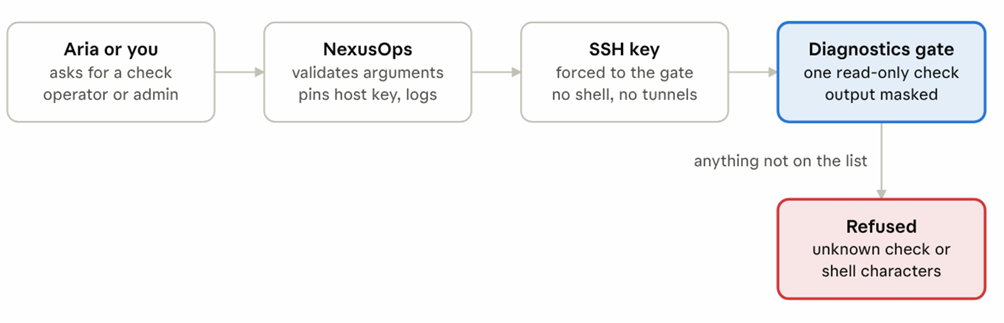
A request has to pass NexusOps, the locked-down key and the gate; anything outside the fixed list stops at the gate.
Nothing on a host can be changed through this path. When a check finds a problem, the fix is still mine to apply.
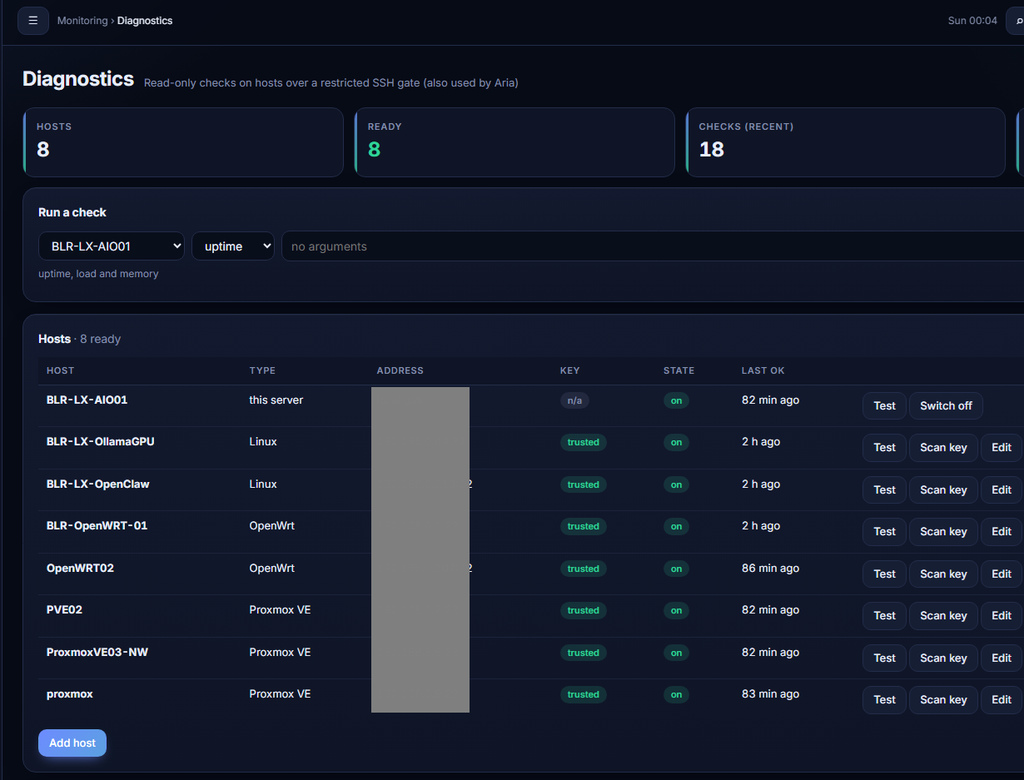
Adding a host is now a single line. NexusOps creates a one-time command, valid for 30 minutes, that I paste into the host’s terminal. It downloads the setup, verifies its checksum, installs the gate, and the host registers itself. NexusOps then checks the host’s SSH fingerprint on its own before it trusts it. The same script works on Proxmox, Debian and Ubuntu VMs, and OpenWrt.
Meet Aria, my on-prem AI assistant
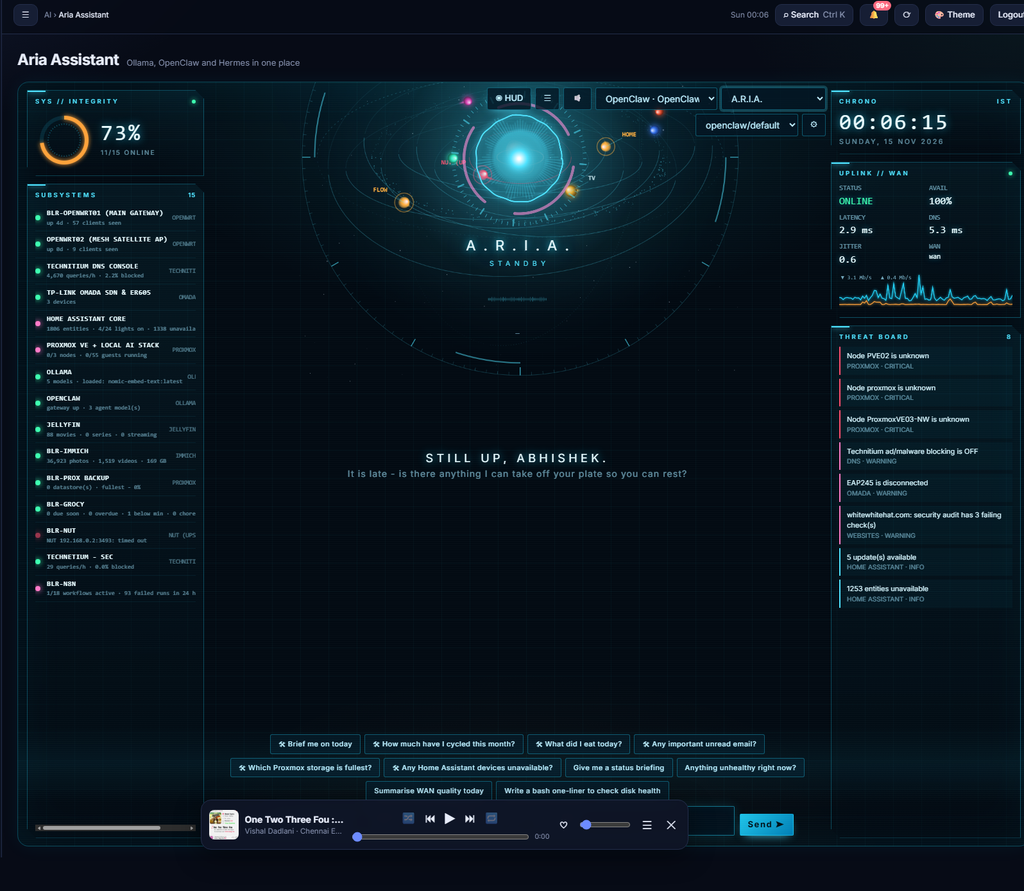
Aria is the part I use most. She is an assistant built into NexusOps that runs on my own hardware: the language models run locally with Ollama, so questions about my home, my network and my day stay inside my house.
What makes her useful is that she can use the same tools I use:
- She can look things up. Service health, Wi-Fi clients, DNS, the Proxmox cluster, the UPS, Grocy, my calendar and more, each through NexusOps with the same permissions as me.
- She can run the diagnostics gate. Ask “why can’t my server reach the UPS?” and she tests the port from the server, checks the router’s firewall counters and looks at the Proxmox firewall, then explains where it stops. Every check she runs shows up as a small chip under her answer.
- She asks before she acts. Anything that changes something, like restarting a container, shows an approval card first. Diagnostics are read-only by design.
- She remembers what matters. Facts I approve (“the NAS is in the study”), earlier conversations and my own notes and documentation are searchable for her, with keyword and semantic search.
- She follows playbooks. Built-in skills tell her how to troubleshoot layer by layer, triage an outage, review a change before making it, or summarise logs.
- She gets better with feedback. Every answer can be rated, and a small test set lets me check whether a new model picks the right tools.
I reach NexusOps and Aria at home on the LAN, and from anywhere through Tailscale, without opening a single port to the internet. There is also a voice-enabled HUD and a phone app with push notifications when something goes down.
What I learned
- AI is a great builder, but you stay the architect. Small steps, a review of every change, and a test before each release made the difference between a toy and something I trust at home.
- Least privilege is not optional. A read-only key, a forced-command SSH key and a fixed list of checks mean a bug, or a confused model, can only look, not break.
- The first real checks find real problems. On day one the diagnostics found a mistyped key, a misconfigured integration and a folder with the wrong permissions on the hypervisor.
- Local models are good enough. For tool use in a homelab, a model running on my own GPU does the job, and the data never leaves the house.
Next up: a Windows version of the diagnostics gate, scheduled agents that watch for problems and report back on their own, and bringing the second site (KER Home) into the same dashboard.
Thank you, open source
None of this would exist without the people who build and maintain open-source software, mostly in their spare time, and give it away. NexusOps is only a front door; the house behind it is theirs.
A heartfelt thank you to the developers and communities behind Proxmox VE, OpenWrt, Home Assistant and its add-ons, Tailscale, Ollama and the open model makers, Grocy, Jellyfin, Immich, Kavita, Technitium DNS, AdGuard Home, OpenWebRX+ and the RTL-SDR community, Network UPS Tools, Uptime Kuma, Gatus, Klipper and Moonraker, PostgreSQL, Redis, Python and FastAPI, and the countless libraries underneath them.
Thank you as well to everyone who answers questions on forums, writes documentation, files bug reports and shares their homelab online. That is how I learned almost everything in this post.