
Most people customize their phones by installing apps.
I decided to customize mine by compiling the entire operating system.
As someone who enjoys self-hosting services, running a Proxmox homelab, experimenting with ESP32 projects, and learning cybersecurity, I wanted my phone to follow the same philosophy:
If I use it every day, I should understand how it works and control what runs on it.
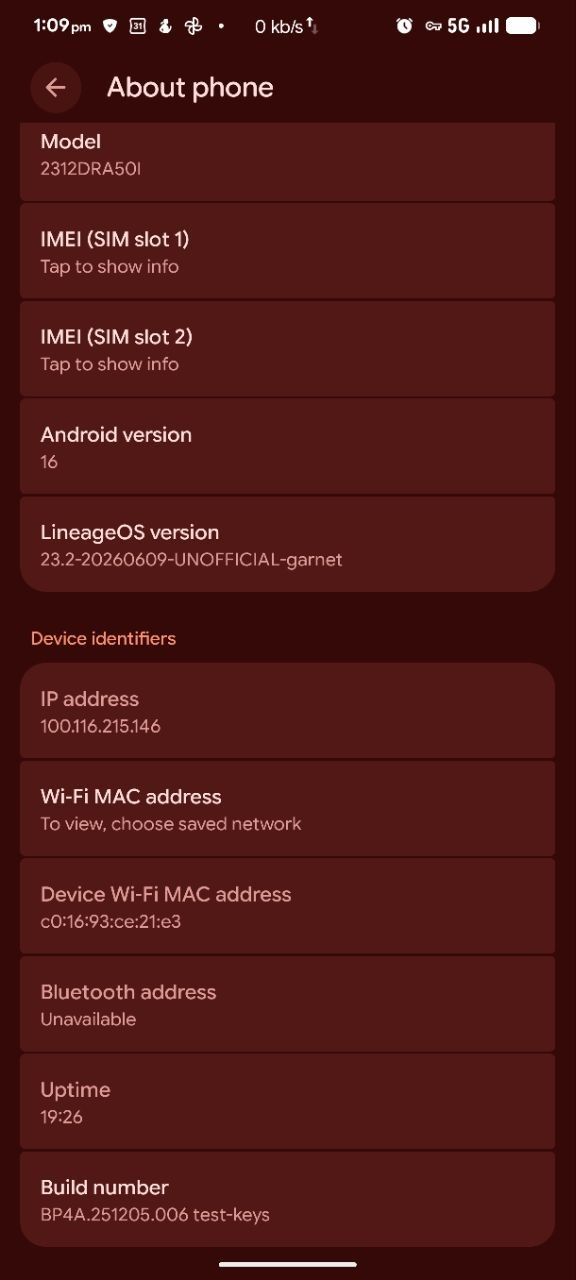
Instead of relying on a stock ROM or even a pre-built custom ROM, I built LineageOS 23.2 (Android 16) from source code for my Xiaomi Redmi Note 13 Pro 5G.
This article explains why, what advantages it provides, and how building your own ROM changes your relationship with your device.
Why I Chose Privacy, Security and Complete Control over My Phone
Why?
My Motivation
| Reason | Description |
|---|---|
| Privacy | Remove unnecessary telemetry |
| Security | Know exactly what is running |
| Learning | Understand Android internals |
| Hobby | Another homelab project |
| Performance | Customize kernel and system |
| Control | Decide what gets installed |
My Philosophy
I already self-host:
- Home Assistant
- Nextcloud
- Immich
- Jellyfin
- Vaultwarden
- DNS
- Monitoring
- Security tools
So why should my phone be the only computer whose operating system I didn’t build or understand?
Your smartphone contains:
- Banking apps
- Passwords
- Photos
- Emails
- Authentication tokens
- Personal conversations
It deserves the same attention as any server.
Privacy
One of the biggest motivations was privacy.
Instead of asking:
Which apps can I uninstall?
I wanted to ask:
Which apps should exist at all?
Benefits
✅ No unnecessary vendor applications
✅ No unwanted analytics
✅ No hidden background services
✅ No duplicate apps
✅ Install only what I want
Security
Security isn’t only about antivirus.
It is about reducing trust.
Normally
User

↓

Phone Vendor

↓

ROM Maintainer

↓

Unknown Build Machine

↓

Your Phone
My approach
User

↓

Official Source Code

↓

My Build Machine

↓

My Phone
I know:
- what version I compiled
- what commits were used
- what packages were included
- what changes I made
Open Source and Code Audit
An often-overlooked advantage is auditability.
When software is open source:
- anyone can inspect it
- anyone can review it
- anyone can improve it
- anyone can build it
Of course, proprietary vendor blobs still exist for components such as:
- Camera
- Modem
- GPU firmware
But the Android framework itself is transparent.
Comparison
| Feature | Stock ROM | Custom ROM | Self Built |
|---|---|---|---|
| Remove Bloat | ❌ | ✅ | ✅ |
| Privacy | ⚠️ | ✅ | ✅ |
| Security | ⚠️ | ✅ | ✅ |
| Build Verification | ❌ | ❌ | ✅ |
| Package Selection | ❌ | Limited | Full |
| Learning Experience | ❌ | Medium | Excellent |
| Control | Low | Medium | Maximum |
nteresting.
| Stock MIUI/HyperOS | Custom ROM | Built from Source (This Post) | |
|---|---|---|---|
| Xiaomi Telemetry | ❌ Baked in | ✅ Removed | ✅ Removed |
| Bloatware | ❌ Heavy | ✅ Minimal | ✅ You decide every package |
| Code Auditability | ❌ None | ⚠️ Trust the maintainer | ✅ You compiled it |
| Security Patches | ⚠️ Delayed | ⚠️ Depends on maintainer | ✅ You control timing |
| Custom kernel | ❌ | ⚠️ Maintainer’s choice | ✅ Your config |
| App control | ❌ | ✅ | ✅ Baked in at build time |
| Boot-level trust | ❌ | ⚠️ | ✅ Your signing keys possible |
What Can I Control?
Apps
Instead of uninstalling:
Settings

↓

Apps

↓

Disable
I can simply avoid compiling them.
Example:
PRODUCT_PACKAGES := \
    Settings \
    Launcher3 \
    Seedvault
or remove packages during build:
PRODUCT_PACKAGES := $(filter-out SomeApp,$(PRODUCT_PACKAGES))Build-Time Customization
Things I can configure include:
| Component | Customizable |
|---|---|
| Default Apps | ✅ |
| Wallpapers | ✅ |
| Fonts | ✅ |
| Boot Animation | ✅ |
| Kernel | ✅ |
| CPU Governor | ✅ |
| Network Stack | ✅ |
| DNS | ✅ |
| Build Fingerprint | ✅ |
| System Properties | ✅ |
Hobby Aspect ❤️
This project was never just about installing Android.
It combines many interests:
- Linux
- Proxmox
- Git
- Open Source
- Reverse Engineering
- Android Internals
- Security
- Automation
For me, building Android from source is similar to:
- building your own NAS
- assembling your own PC
- running your own cloud
The destination is rewarding, but the learning process is the real value.
My Build Environment
| Component | Value |
|---|---|
| Host | Proxmox VE |
| Container | Ubuntu 22.04 LXC |
| CPU | Intel i7-11700 |
| RAM | 52GB assigned |
| Storage | 300GB |
| Android | 16 |
| ROM | LineageOS 23.2 |
Build Process
repo init
      │
      ▼
repo sync
      │
      ▼
Device Trees
      │
      ▼
Vendor Blobs
      │
      ▼
Build Environment
      │
      ▼
mka bacon
      │
      ▼
Flash
      │
      ▼
Boot
After creating the LXC, I installed the Android build dependencies:
apt update && apt upgrade -y
apt install -y git git-lfs curl openjdk-11-jdk \
build-essential python3 unzip zip adb
Step 2 – Initialize the Android Source
Google’s Android source and the LineageOS project are managed using the repo tool.
repo init \
-u https://github.com/LineageOS/android.git \
-b lineage-23.2
Then download the complete source:
repo syncThis downloads over 100 GB of source code spread across more than a thousand Git repositories.
Step 3 – Configure the Device
Select the target device:
source build/envsetup.sh
breakfast garnet
This prepares the build system for the Xiaomi Redmi Note 13 Pro 5G (garnet).
Step 4 – Obtain Vendor Blobs
Android devices still require proprietary components such as:
- Camera firmware
- GPU firmware
- Modem firmware
These can either be:
- extracted from your own device, or
- synchronized from community-maintained repositories.
Without these components, the ROM will not boot correctly.
Step 5 – Build the ROM
Once everything is configured:
source build/envsetup.sh
breakfast garnet

mka bacon -j14
This compiles:
- Linux kernel
- Android framework
- System applications
- Recovery image
- Boot image
- Flashable ROM package
The first build took several hours, while subsequent builds became much faster thanks to ccache.
Step 6 – Flash to the Device
The generated images are flashed using Fastboot and ADB:
fastboot flash boot boot.img
fastboot flash vendor_boot vendor_boot.img
fastboot flash recovery recovery.img

adb sideload lineage-23.2.zip
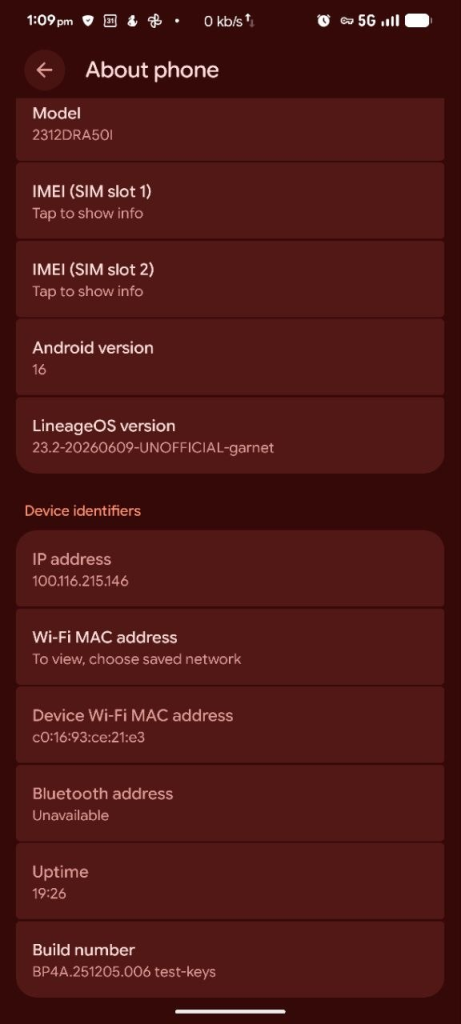
After rebooting, the phone boots into a ROM that I compiled myself.
Lessons Learned
- Android is one of the largest open-source projects available.
- Proper RAM and storage planning are essential.
- Building from source provides unmatched transparency.
- Proxmox snapshots make experimentation much safer.
- Understanding your tools is often more valuable than simply using them.
Conclusion
Final Thoughts
Building my own Android ROM was never about claiming that everyone should do the same.
It was about curiosity, learning, and ownership.
In an era where our phones contain our identities, finances, memories, and work, understanding the software that powers them is both an educational exercise and a practical security investment.
As someone who enjoys homelab projects and open-source technologies, this felt like a natural extension of the same philosophy:
Don’t just use technology. Learn it, build it, and understand it.
If this article inspires even one reader to explore Android internals, open-source software, or self-hosted infrastructure, then the countless hours spent compiling, debugging, and experimenting will have been worthwhile.
Acknowledgements
No project of this scale is ever completed alone. While the final ROM was compiled on my own infrastructure, the journey was possible because of the incredible open-source community that continues to build, maintain, and share knowledge.
I would like to express my sincere gratitude to:
- The LineageOS Team for their dedication to keeping Android open, secure, and accessible to the community.
- The Android Open Source Project (AOSP) contributors whose work forms the foundation of modern Android development.
- The maintainers of the Xiaomi
garnetdevice trees, kernel sources, and vendor repositories, whose efforts made this build possible. - The countless developers and community members on GitHub, XDA, and forums who document their findings, troubleshoot issues, and freely share their knowledge.
- The open-source ecosystem, where collaboration and transparency enable enthusiasts like me to learn and build without barriers.
Finally, this project is a reflection of my passion for homelabs, Linux, cybersecurity, privacy, and open-source technology. Every challenge—from debugging build failures to understanding Android internals—was an opportunity to learn something new.
If this article helps even one person understand how their smartphone works or inspires them to explore open-source development, then the time spent on this project has been well worth it.
Thank you for reading and for supporting my journey.
— Abhi
whitewhitehat.com